
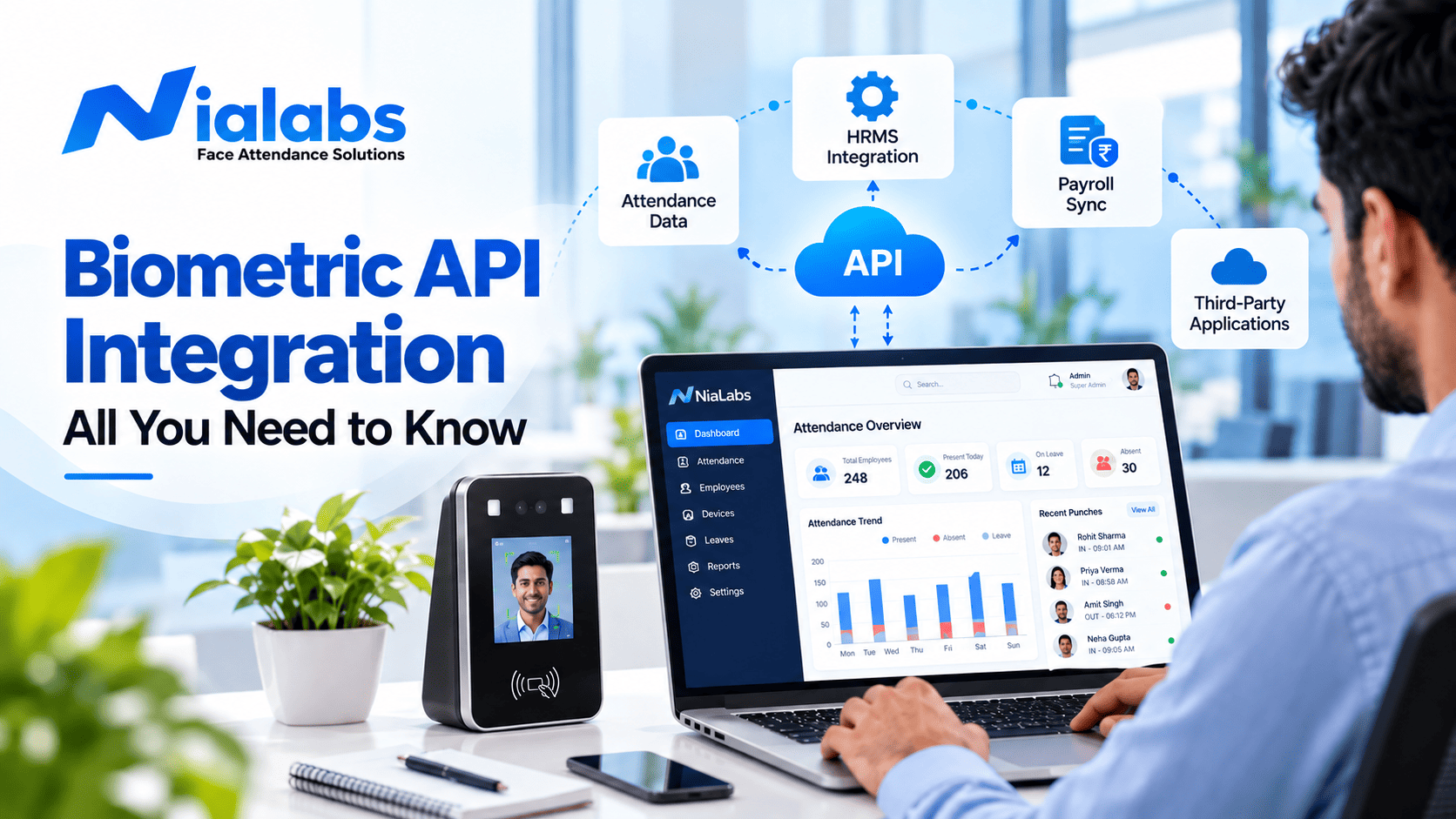
Biometric API integration is the process of connecting a fingerprint, face or iris device to your existing software through an API, so enrolment and verification data move automatically into your HRMS, ERP, payroll or access control platform. Without it, a biometric device is just a logging box and someone still has to export files at the end of every month.
That gap is where most biometric projects in India quietly fail. The hardware works, the punches are captured, and then an admin downloads a report, cleans it in Excel, and emails it to payroll. The API is what removes those three steps.
Key Takeaways
- A biometric API is the interface layer between the device and your software. It carries templates and match results, never raw fingerprint or face images.
- Every integration follows the same four stages: enrolment, device authentication, verification, and the push into your core system.
- Webhooks beat polling. A punch callback writes attendance into your HRMS within seconds instead of on an hourly sync.
- Biometric data is personal data under the DPDP Act 2023, so consent, retention limits and a deletion process are part of the build, not an afterthought.
- Offline sync is the single most underrated requirement for Indian sites, where connectivity at factory gates and remote campuses is unreliable.
What is a biometric API?
A biometric API is the interface layer between biometric hardware and the applications that need identity data. The device captures a scan, converts it into an encrypted template, and the API exposes a standard set of endpoints that let your software enrol users, verify identities, and read attendance events.
The important detail, and the one most buyers get wrong: the API does not move your fingerprint around. It moves a biometric template, which is a mathematical representation of the scan that cannot be reverse engineered into the original image. Your HRMS receives an employee ID, a timestamp and a verification result, not a picture of anyone's face.
If you want the formal definition and the endpoints a modern device exposes, the attendance API entry in our glossary and the Nialabs API documentation cover both.
How biometric API integration works
Regardless of vendor, hardware type or industry, every biometric integration moves through the same four stages.
1. Enrolment
The user presents a finger or face at the terminal. The device captures the sample, converts it into an encrypted template, and stores it either on the device, on your server or in the cloud. That template is then mapped to an identity in your system, usually an employee code or student admission number. Get this mapping wrong and every downstream report is wrong, so enrolment is the stage worth over testing.
2. Device authentication and communication
The device authenticates against the API using a key or token, then communicates over HTTPS. A good API standardises this so that a fingerprint reader at one site and a face terminal at another speak the same language to your platform. In practice this is where you register devices, assign them to locations, and decide which device feeds which department.
3. Verification
When someone punches in, the device captures a live scan and matches it against stored templates. A modern terminal runs a liveness check at this point to reject a printed photo or a video on a phone screen. The API returns a match or no match result with a confidence score, and your system decides what to do with it.
4. Integration with your core system
The verified event is pushed to the application that actually uses it: an HRMS for attendance, payroll for salary calculation, an ERP for workforce reporting, or a door controller for access. This is best done with a webhook rather than a scheduled pull. The punch log callback fires the moment a punch is verified, so your records are current within seconds instead of at the top of the hour.
Key benefits of biometric API integration
| Benefit | What it actually changes |
|---|---|
| Automation | Attendance, leave and overtime data reach payroll without a manual export, which removes the monthly reconciliation cycle entirely. |
| Accuracy | Proxy punching becomes impossible and transcription errors disappear, because no human retypes a single record. |
| Security | Encrypted templates, token based device authentication and HTTPS transport mean identity data is protected in storage and in transit. |
| Scalability | Adding a branch means registering devices against the same API, not rebuilding the integration. This is why attendance tracking across multiple branches is the most common trigger for moving to an API. |
| Real time visibility | Managers see live headcount, late marks and door events on one dashboard instead of yesterday's spreadsheet. |
| Lower cost of ownership | You extend the software you already run instead of buying a parallel workforce platform. |
Payroll is usually where the return shows up first. Once verified punches land in your cloud HR and payroll platform automatically, salary processing runs on data nobody has touched, and the end of month dispute queue shrinks. For a wider view of what a connected stack looks like, see how devices and HRM software work together in a live deployment.
Types of biometric APIs
| API type | Best suited for | Watch out for |
|---|---|---|
| Fingerprint | Offices, retail, small teams, budget sensitive rollouts | Worn or wet fingers in factories and field roles raise rejection rates |
| Facial recognition | Schools, hospitals, hygiene sensitive and high traffic entries | Low light performance varies sharply between devices, so test at the actual gate |
| Iris or retina | Labs, data centres, high security zones | Highest hardware cost and slower throughput at busy entries |
| Voice | Phone and remote verification flows | Background noise and recordings make it weak as a standalone factor |
| Multi modal | Regulated sites that need two factors at the door | More friction per person, so reserve it for genuinely sensitive zones |
Most Indian deployments end up on face or fingerprint, and increasingly on terminals that support both. If you are still deciding between device categories before you reach the integration stage, our overview of attendance, security and access management options is the better starting point.
Challenges in integrating biometric APIs
Data privacy and DPDP Act compliance
Biometric data is personal data under the Digital Personal Data Protection Act 2023. That means a stated purpose, informed consent, a retention limit, security safeguards, and a working deletion process for people who leave the organisation. Schools carry extra duties because student data involves guardian consent. Our DPDP Act compliance guide for schools walks through what to document before the first device is installed.
Device compatibility
Older readers often expose proprietary protocols or no API at all, which forces middleware and brittle file transfers. For door hardware, check whether the controller speaks Wiegand only or supports OSDP, because that decides how cleanly access events reach your software. Confirm this before procurement, not after.
Latency and connectivity
Slow responses create queues at the gate, and in India the usual cause is not the API but the link. A device with offline sync keeps matching locally during an outage and pushes the queued punches once the connection returns. Ask every vendor two questions: how many records the device buffers offline, and what happens to duplicates when it reconnects.
Security of the integration itself
The weak point is rarely the biometric algorithm. It is an unauthenticated endpoint, a key committed to a repository, or a webhook with no signature verification. Rotate keys, verify callback signatures, restrict by IP where possible, and log every call. The same discipline applies when the API controls doors, which is why door and gate access control deployments should be reviewed by whoever owns your network security.
How Nialabs simplifies biometric API integration
Nialabs ships a documented REST API with its terminals, so developers work against defined endpoints instead of reverse engineering a device. The API documentation covers user creation, photo enrolment, user update callbacks and punch log callbacks, with request and response formats for each.
Practically, that means three things. Enrolment can be driven from your own HR system rather than device by device at each terminal. Punches arrive as callbacks, so your attendance data is live. And because device management is centralised, adding a site is a configuration task rather than a project. Teams that pair the API with an AI based biometric attendance platform get the dashboard and the integration from one vendor, which removes the support finger pointing that plagues mixed stacks.
If you are evaluating hardware and integration together, the team at Nialabs can map your HRMS or ERP to the right terminal before you commit to a rollout.
Frequently asked questions
What is biometric API integration?
Biometric API integration is the process of connecting a fingerprint, face or iris device to your existing software through an API, so that enrolment, verification and attendance data move automatically between the hardware and your HRMS, ERP, payroll or access control platform instead of being exported manually.
Biometric machine ko HRMS se kaise connect karein?
You connect the device to your HRMS in four steps: enrol users and map each biometric template to an employee ID, authenticate the device against the API with a key or token, let the API verify live scans, and receive the verified punch in your HRMS through a webhook or a scheduled sync. With a documented REST API, a single location usually goes live in a few days.
Does the API send my actual fingerprint image?
No. A properly built biometric API never transmits or stores the raw fingerprint or face image. The device converts the scan into an encrypted mathematical template that cannot be reverse engineered back into the original image, and only that template or a match result is exchanged.
Is biometric API integration allowed under the DPDP Act 2023?
Yes, provided you follow the Act. Biometric data is personal data under the Digital Personal Data Protection Act 2023, so you need a clear purpose, informed consent, retention limits, security safeguards and a deletion process when a person leaves. Schools handling student data carry additional duties around guardian consent.
What happens if the internet goes down at a site?
A device with offline sync keeps matching locally and stores punches in its own memory, then pushes the queued records to the API once connectivity returns. Always confirm offline capacity and sync behaviour before you buy, because sites in factories and remote campuses lose connectivity regularly.
Can one API handle multiple locations and multiple devices?
Yes. A cloud biometric API is designed so that adding a site means registering new devices against the same account rather than rebuilding the integration. Data from every branch flows into one dashboard, which is the main reason multi location companies move from standalone machines to an API based setup.
How long does a biometric API integration take?
With clear documentation and a sandbox, a developer can complete a single site integration in roughly three to seven working days, covering enrolment, punch callbacks and error handling. Multi location rollouts take longer because of device installation and user enrolment, not because of the API work.
Conclusion
A biometric device answers one question: was this the right person. The API decides whether that answer is worth anything to the rest of your business. Choose hardware with documented endpoints, insist on webhooks over polling, confirm offline behaviour before purchase, and treat DPDP compliance as part of the build. Do those four things and the integration becomes infrastructure you stop thinking about, which is exactly the point.