
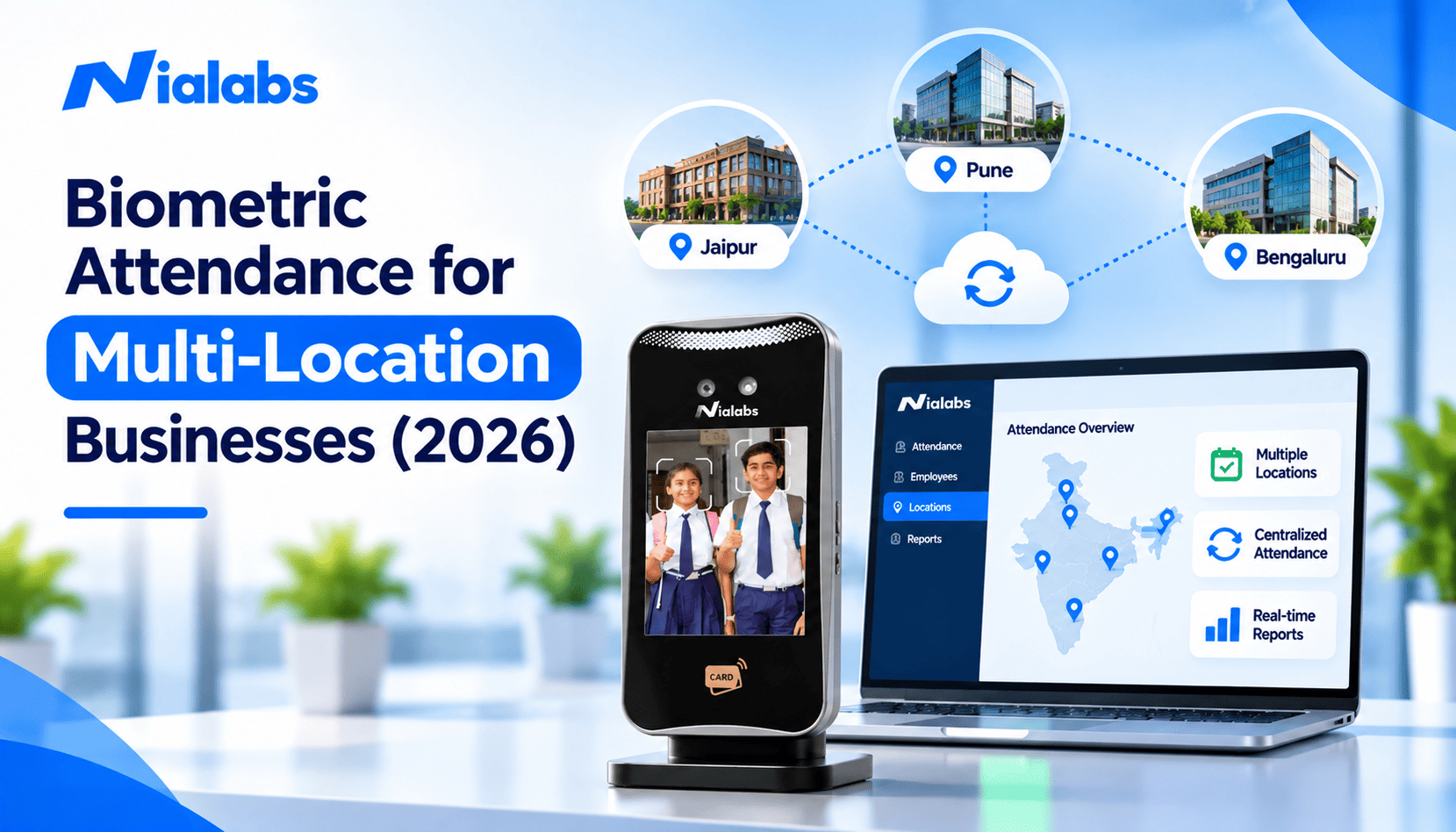
Biometric attendance for multi-location businesses means installing face or fingerprint devices at every branch and connecting them to a single cloud dashboard, so head office sees verified attendance from all sites in real time. Each punch is tied to a person, a device, and a location; branch shift rules apply automatically, and attendance flows into one payroll run instead of separate spreadsheets from each branch.
Managing attendance at one office is simple. Managing it across 5, 20 or 50 branches in different cities is a different problem: every site has its own register or device, data arrives late in different formats, and head office cannot see who is actually at work. This guide explains how a multi-location biometric setup works, what it fixes, how to handle connectivity and shifts across branches, and how to roll it out site by site.
|
Key Takeaways • A multi-location setup has three layers: devices at each branch, a central cloud dashboard and integration with HRMS and payroll. • Every punch carries a verified identity, a device ID and a timestamp, so head office can trust branch data without calling branch managers. • Branches lose power and internet. Devices with offline sync store punches locally and upload them automatically, so no attendance is lost. • Different branches can run different shifts, holidays and overtime rules from the same system, with role-based access for branch and head-office managers. • Roll out in phases: pilot one or two branches, fix the issues, then expand. Do not switch every site on the same day. |
Why Multi-Location Attendance Is a Different Problem
Once a business runs several sites, attendance problems multiply rather than add up. The table below shows what typically goes wrong and what a centralised biometric system changes.
|
Problem across branches |
What happens without a central system |
What a central biometric system changes |
|
Different data formats |
Each branch sends its own register, Excel file or device export |
Every branch reports into one database in one format |
|
Late consolidation |
HR spends days merging branch files before payroll |
Data is already consolidated as punches happen |
|
No live visibility |
Head office cannot see absences or late arrivals until month-end |
Live attendance by branch, department and shift |
|
Proxy attendance |
Hard to detect from head office |
Each punch is tied to a verified face or fingerprint |
|
Payroll errors |
Manual merging introduces mistakes in salary |
Attendance flows directly into one payroll run |
|
Audit gaps |
Branch records are incomplete or inconsistent |
Time-stamped records for every site in one place |
How a Multi-Location Biometric Attendance System Works
A centralised setup has four parts working together:
|
Component |
What it does |
What to check |
|
Branch devices |
Face or fingerprint terminals record punches at each site |
Liveness detection, user capacity, offline storage, 4G option |
|
Mobile attendance |
Field and remote staff mark attendance by selfie with location |
Geofencing and liveness checks |
|
Cloud dashboard |
Collects punches from every device and shows live attendance |
Branch filters, device health alerts, role-based access |
|
HRMS and payroll |
Applies shift, leave and overtime rules and calculates salary |
API integration and matching employee IDs across branches |
Punches reach the dashboard in real time when devices are online, giving head office real-time monitoring across sites. Branch managers see their own team, while HR and leadership see every location. Central device management shows which devices are online, out of sync or tampered with, so problems at a distant branch are noticed the same day.
Key Benefits for Multi-Location Businesses
1. Verified, Location-Stamped Attendance
Each record includes who punched, on which device, at which branch and at what time. HR no longer depends on branch managers to confirm that registers are correct.
2. No Proxy Attendance at Remote Branches
Proxy attendance is hardest to spot at sites far from head office. Face recognition with liveness detection requires the person to be physically present and rejects photos, phone screens and videos.
3. Live Visibility Across Every Site
Managers can compare absenteeism, late arrivals and overtime across branches as they happen, and act on a problem site before it shows up in month-end costs.
4. One Payroll Run for All Branches
Attendance from every site flows into payroll with branch-specific rules already applied, so HR stops merging Excel files. Read more on how verified attendance improves payroll accuracy.
5. Consistent, Audit-Ready Records
Records are stored centrally with timestamps and an edit history, so a labour inspection or internal audit at any branch can be answered from one system.
Handling Connectivity: Power Cuts and Internet Outages at Branches
Remote branches, factory sites and warehouses often have unreliable power and internet. A multi-location system must keep working when a branch goes offline.
• Offline storage: devices with offline attendance sync keep accepting punches during an outage and upload them automatically when the connection returns. See what happens to attendance data after a power cut.
• 4G backup: for sites without stable Wi-Fi or broadband, a terminal with a built-in SIM such as the NiaFace A80 4G face terminal keeps data flowing.
• Backup power: a small UPS keeps the device and network running through short power cuts.
• Sync alerts: the dashboard should flag devices that have not synced, so HR knows which branch data is still pending before payroll closes.
Managing Different Shifts, Holidays and Rules by Branch
Branches rarely run the same schedule. A factory may run three shifts, a retail outlet may open late, and branches in different states follow different holiday calendars. The system should let you set shift rules, holidays, late-mark rules and overtime by branch, department or employee group, while reporting everything in one place.
|
Role |
What they see |
What they can do |
|
Branch manager |
Their own branch's live attendance and reports |
Approve leave and regularisation requests for their team |
|
Regional manager |
All branches in their region |
Compare branches and handle escalations |
|
HR and payroll |
Every branch and employee |
Set rules, run payroll and export statutory reports |
|
Leadership |
Company-wide dashboards |
Track attendance, overtime and cost trends by branch |
Missed punches still happen at every site. A clean attendance regularisation workflow lets employees request corrections and branch managers approve them before payroll closes.
Choosing the Right Attendance Method for Each Site
Most multi-location businesses use more than one method. Match the method to how each site works:
|
Site type |
Recommended method |
Why |
|
Corporate and regional offices |
Face recognition terminals |
Contactless, fast, integrates with HRMS |
|
Factories and plants |
Face recognition with offline sync and 4G |
Shift changes, worn fingerprints, unreliable power |
|
Retail outlets and clinics |
Compact face terminals |
Small teams, part-time staff, limited space |
|
Warehouses and logistics hubs |
Face recognition plus mobile attendance |
Large contract workforce and staff moving between docks |
|
Field sales and service teams |
Mobile selfie attendance with geofencing |
No fixed device; location and liveness prevent misuse |
For a deeper comparison of methods, see how to choose attendance by workforce, not by price.
Integrating with HRMS and Payroll
Attendance is only useful if it reaches payroll correctly. Connect branch devices to your HRMS through an API or cloud sync, and keep employee IDs identical across every device and branch so transfers between sites do not break records. Nialabs devices push attendance into Nialabs attendance and payroll HRMS or into your existing HRMS, ERP or school software, so payroll for every branch runs from one verified data set.
How to Roll Out Biometric Attendance Across Multiple Sites
|
Phase |
What to do |
Done when |
|
1. Plan |
List branches, entrances, headcount, shifts and connectivity at each site |
Every site has a device plan and network plan |
|
2. Pilot |
Install at one or two representative branches, ideally one office and one harder site |
Punches, sync and payroll work for a full month |
|
3. Fix |
Resolve placement, lighting, connectivity and ID mismatches found in the pilot |
No recurring failures or unsynced devices |
|
4. Expand |
Roll out region by region, enrolling staff in batches with matching employee IDs |
All branches report into one dashboard |
|
5. Retire old methods |
Run old registers in parallel for two weeks per branch, then stop them |
Payroll runs entirely from biometric data |
Enrolment is quick per employee, but plan time for contract staff, new joiners and employees who move between branches.
Data Protection Across Branches
Biometric templates and attendance records are personal data under the Digital Personal Data Protection Act 2023, and the DPDP Rules 2025 make most obligations enforceable from 13 May 2027. With many branches, the risk is uneven handling: one site printing reports, another sharing logins. Use role-based access, encrypted storage, clear notice to employees, set retention periods and one deletion process for every branch. This is general guidance, not legal advice.
Why Nialabs for Multi-Location Attendance
Nialabs designs its own NiaFace terminals and the cloud software behind them, so every branch reports into one dashboard without a third-party connector. Devices use liveness detection, work offline and sync automatically, with 4G models for sites without reliable internet. Field staff can mark attendance with a liveness-verified selfie, and branch-wise shifts, holidays and approvals are managed centrally. Nialabs supports installation, onboarding and support for each phase of a multi-site rollout.
Frequently Asked Questions
How does biometric attendance work across multiple branches?
Each branch has face or fingerprint devices that record punches with a verified identity, device ID and timestamp. All devices connect to one cloud dashboard, so head office sees attendance from every branch in real time and payroll uses one consolidated data set.
What happens if a branch device loses internet or power?
Devices with offline sync keep recording punches during an outage and store them locally. When the connection returns, they upload the records automatically, so no attendance is lost. A 4G model or small UPS keeps critical sites connected.
Can different branches have different shifts and holidays?
Yes. A centralised attendance system lets you set shifts, holidays, late-mark rules and overtime by branch, department or employee group, while all branches still report into the same dashboard and payroll.
Can branch managers see only their own branch?
Yes. Role-based access lets branch managers see and approve only their own team, regional managers see their region, and HR and leadership see every location.
Can biometric attendance integrate with our HRMS and payroll?
Yes. Branch devices send attendance to HRMS and payroll software through an API or cloud sync. Keep employee IDs identical across all devices and branches so transfers and payroll calculations stay accurate.
How should field staff mark attendance if they do not visit a branch?
Field staff can mark attendance with a selfie in a mobile app. Geofencing confirms they are at an approved location, and liveness detection confirms a real person is present rather than a photo.
Which industries use multi-location biometric attendance?
Retail chains, manufacturing groups, hospitals and clinic chains, schools with several campuses, logistics and warehousing companies, banks and corporate offices with regional branches all use multi-location biometric attendance.
Conclusion
Multi-location businesses need attendance that is verified at every site, visible from one place and ready for one payroll run. A centralised biometric system delivers that with branch devices, offline sync, branch-wise rules and HRMS integration, rolled out in phases so each site works before the next one starts.